For iPhone & iPad

Every gift. Every place. One album.

Poke Album turns your gift screenshots into a searchable collection — sorted by friend and country, with every gift pinned on a world map.

Download on theApp Store Free to use · Pro features are a one-time $2.99
Poke Album album view listing postcards with their location, sender and date
986 cards
214 friends
87 countries
How it works

From screenshot to collection in seconds

1

Screenshot your gifts

Keep doing what you already do — take a screenshot whenever a gift card arrives.

2

Scan once

On-device text recognition reads the landmark, city and sender. Only your Screenshots album is scanned.

3

Explore your album

Search, sort and browse by friend or country, and watch your map fill up with pins.

Album view
Album

All your gifts, beautifully organized

Every card gets its photo, landmark name, location, sender and date — no typing required.

  • Search by name, tag or location
  • Sort by date, friend or place
  • Attach your own extra pictures to any card
  • Fix anything OCR got wrong with a quick edit
Friends list with card counts
Friends

Know who keeps you on the move

See every friend who has sent you a gift and how many cards came from each of them. Tap a friend to see their gifts on the map.

  • Card counts per friend
  • Per-friend map of where their gifts came from
Countries list with flags
Countries

Collect the world, flag by flag

Gifts are grouped by country automatically, using a database of more than 130,000 cities. Watch your country count grow.

  • Automatic country & region detection
  • Map of gifts for every country
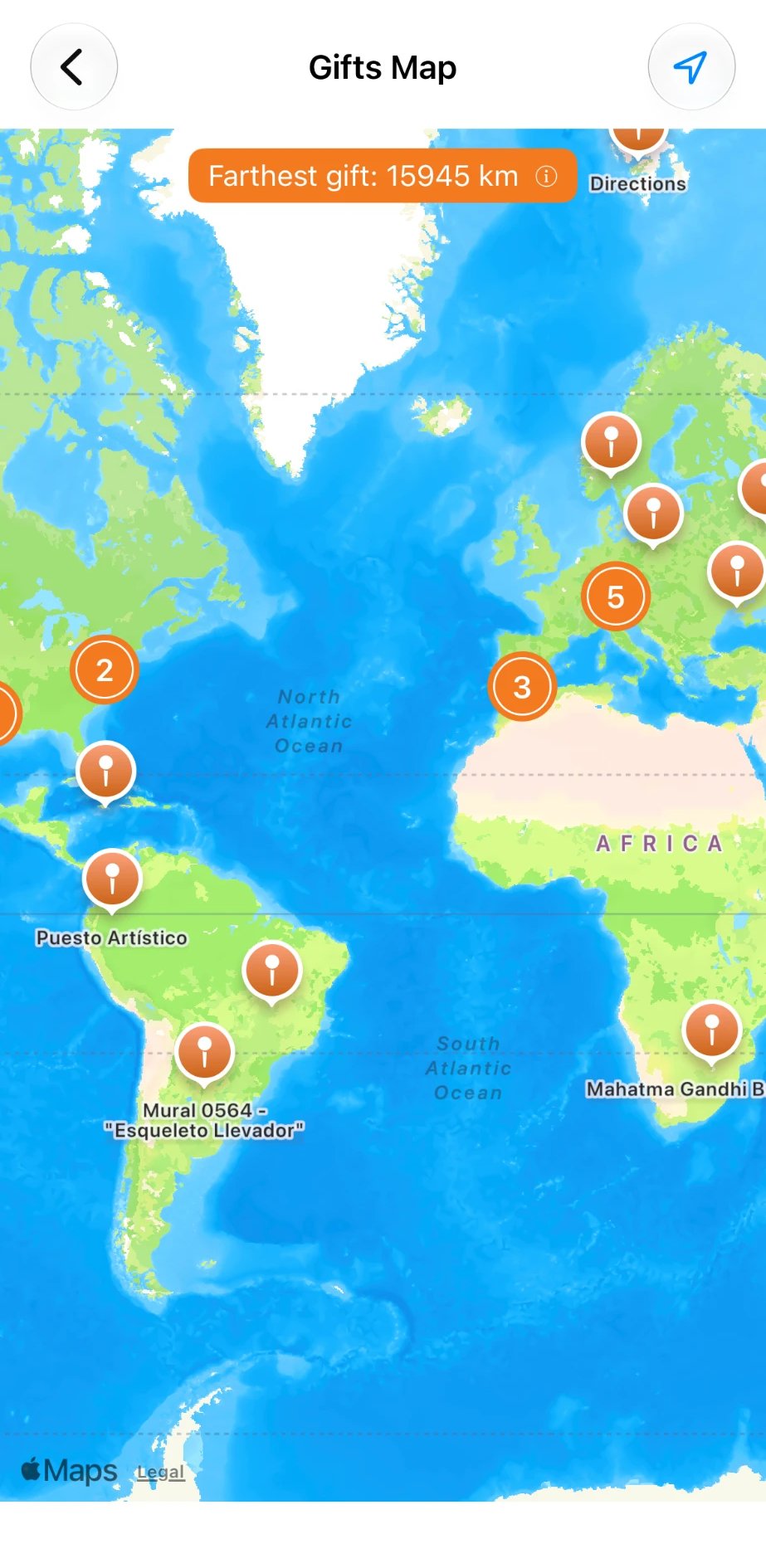
Gifts Map with postcard pins across the Americas, Europe and Africa, showing the farthest gift at 15,945 km
Gifts Map · Pro

Every postcard, right where it came from

Browse your whole collection on the map. Pins group by region and country as you zoom out, and split into individual landmarks as you zoom in.

  • Distance to your farthest gift, always on screen
  • Tap a pin to preview the postcard and open its details
  • Drag a pin to fix a postcard's location
  • Maps for each friend and each country
My Stats screen showing postcards collected, countries, cities, friends, regions and pilot range
My Stats · Pro

Your collection, by the numbers

See how far you've come at a glance: postcards collected, countries, cities, regions and friends, all on one screen.

  • Pilot range: the combined distance from you to every postcard, compared to trips around the globe and across the solar system
  • Highlights like your top country, farthest postcard and best month
  • Completion progress for capital cities
  • Share your stats with friends in one tap
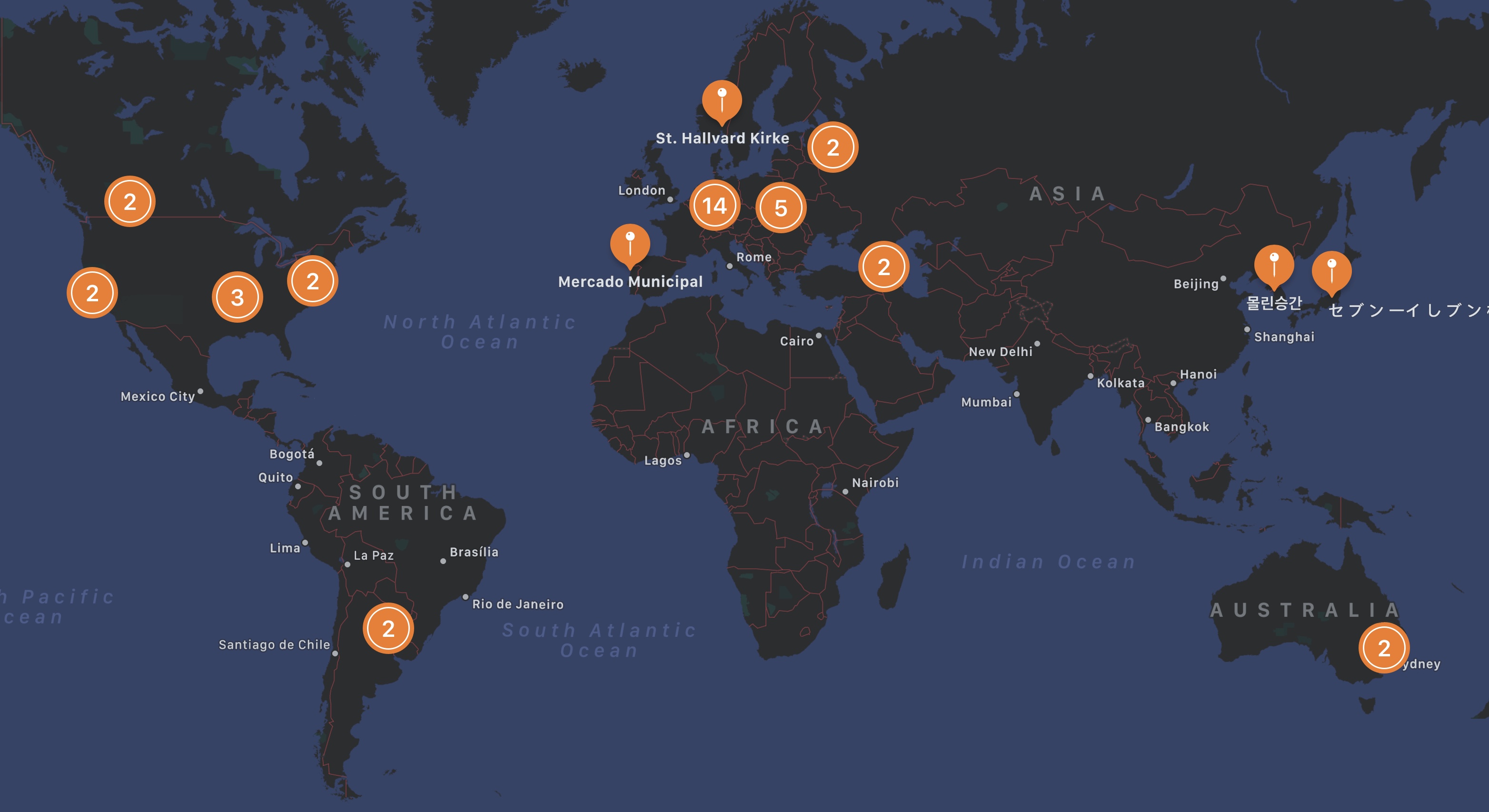
World Map · Pro

See how far your gifts have traveled

Every card is pinned on an interactive map. Zoom from continents down to cities, and find out the distance to your farthest gift.

130k+cities recognized
15,945 kmfarthest gift
World map with gift pins clustered across North America, Europe, Asia and Australia
Collections · Pro

Curate your album your way

Group gifts by keyword, by theme or by place, and track how much of each set you've collected.

Smart collections

Enter a few keywords, like “castle, palace”, and the collection fills itself. New matching gifts are added automatically, and you can exclude any that don't belong.

Thematic collections

Bridges, cathedrals, lighthouses, gifts from one special friend: create a collection for anything and add cards to it with a swipe.

Geographic collections

Check off world capitals, US states, Canadian provinces, Japanese prefectures and more, or drive all of Route 66. Build your own city lists and watch your progress grow.

Why Poke Album

The world comes to you, one gift at a time

Album management

Every gift screenshot becomes a card with its landmark, location and sender. Search, sort and share your collection.

Worldwide gifts map

Pin every gift on the map, find your farthest one, and share your country stats with friends.

Secure backup

Back up to your own iCloud and sync between your iPhone and iPad. Never lose a gift card again.

Pricing

Free to start. Pro forever.

No subscriptions. Pay once, keep it for good.

Free

$0

Everything you need to build your album.

  • Add cards from screenshots
  • Friends & Countries views
  • Search, sort and edit
PRO

Pro Features

$2.99 one-time

For collectors who want the full picture.

  • Automatic import from your Photo Library
  • Interactive World Map of your gifts
  • Smart, thematic & geographic collections
  • My Stats with highlights you can share
  • iCloud backup, restore & sync
  • Everything in Free
Privacy first

Your album stays yours

Poke Album has no accounts, no ads and no analytics. Your cards live on your device and, if you choose, in your own iCloud.

Read the privacy policy
No data collectionWe don't collect personal or usage data.
On-device scanningText recognition runs on your iPhone.
Location stays localUsed only for map distance, never sent to us.
Screenshots onlyThe rest of your Photo Library is never scanned.
FAQ

Questions, answered

How do I add gift cards?

Tap the + button in the Album view. To import all your existing gifts at once, open the More tab and choose Scan Screenshots. You can also turn on Automatic Scan in Settings › General.

Does the app scan my whole Photo Library?

No. Poke Album only looks at the Screenshots album.

Why is a title or city sometimes wrong?

Cards are read with optical character recognition, which is very good but not perfect. Swipe a card left and tap Edit to fix it.

How accurate are locations on the map?

Locations are matched against a database of more than 130,000 cities, so pins are approximate. You can set exact coordinates for any card. Cards with a small red dot couldn't be located — editing their location usually fixes it.

If I delete a card, is the screenshot deleted too?

No. Deleting a card never touches your Photo Library. To reclaim space, use More › Free Up Storage, which removes the original screenshots of cards you've already imported.

Is Pro a subscription?

No. Pro Features is a one-time $2.99 in-app purchase.

Poke Album app icon

Start your album today

Free on the App Store for iPhone and iPad.

Download on theApp Store